JPEG vs. PNG vs. WebP at 20KB: Which Format Actually Looks Best?
Detailed visual quality comparison between JPEG, PNG, and WebP when compressed down to a strict 20KB target size limit.
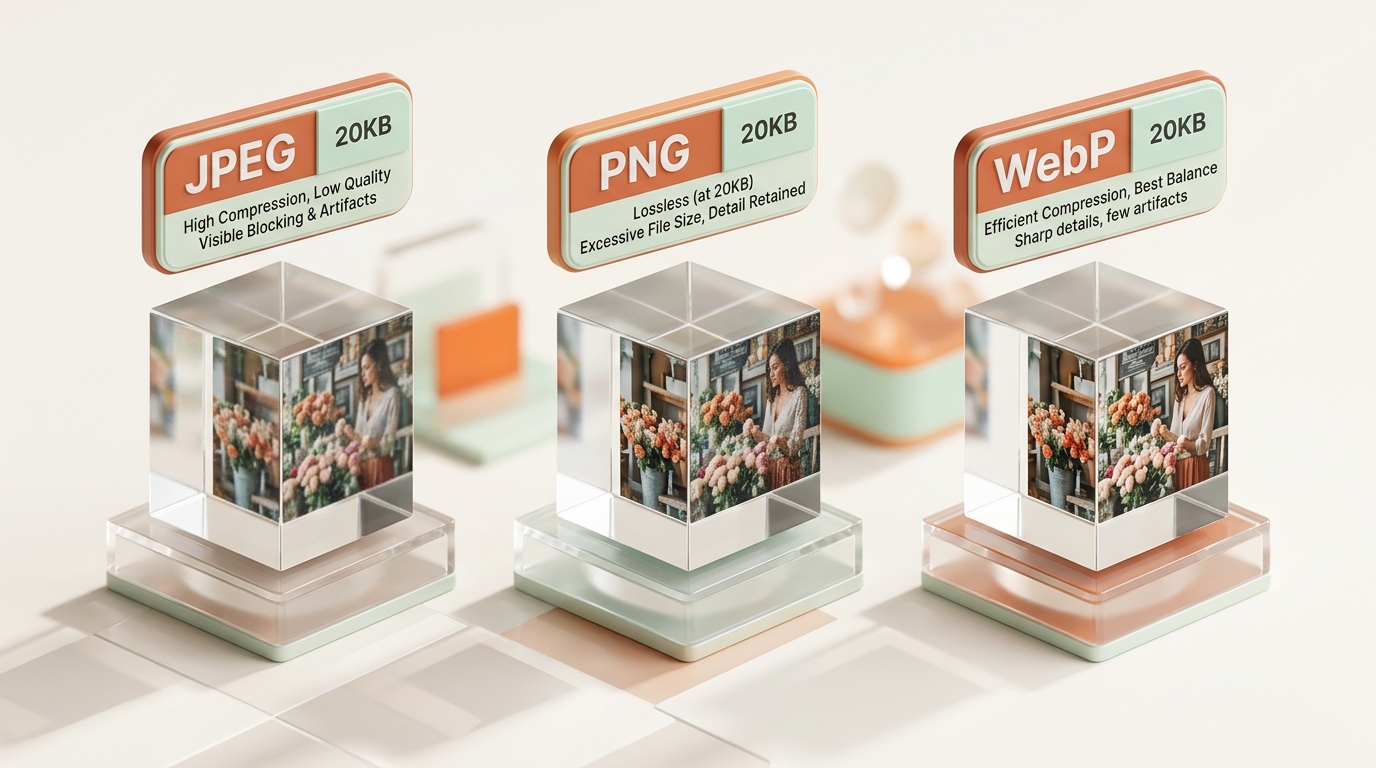
Picking a file format feels like an afterthought until you’re staring at a 20KB image quality limit and wondering why one photo looks crisp while another turns to mush. JPEG vs PNG vs WebP isn’t just a technical footnote—it’s the single biggest factor in how your final image looks once compression finishes its work. This comparison breaks down how each format behaves at that tight size, so you can stop guessing and start choosing correctly.
Compression Mechanics: How JPEG, PNG, and WebP Compress Image Data
JPEG: Lossy Discrete Cosine Transform (DCT) for Natural Photographs
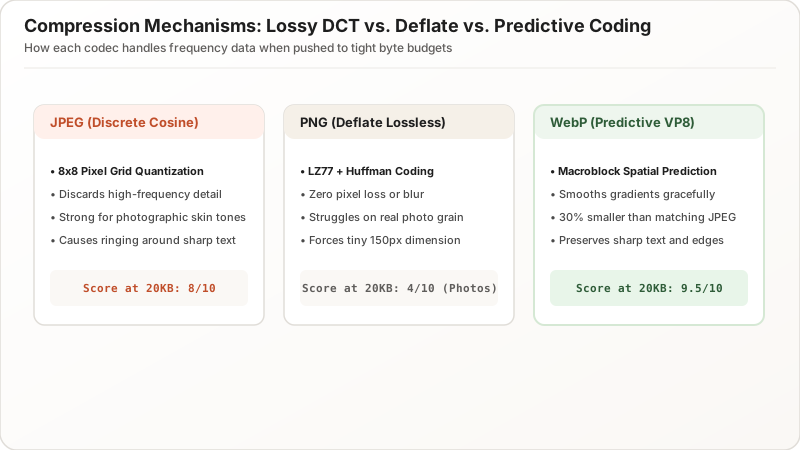
JPEG compression works by discarding high-frequency color and gradient data the human eye barely notices. It uses a lossy Discrete Cosine Transform (DCT) algorithm that excels at photographic content with smooth transitions.
PNG: Lossless Deflate Encoding for Crisp Vector Graphics and Text
PNG compression takes the opposite approach entirely. It uses lossless Deflate encoding, preserving every pixel exactly. While ideal for logos and text, this lossless guarantee comes at a steep file size cost for photographic content.
WebP: Modern Predictive Coding for High-Efficiency Hybrid Compression
WebP compression combines the best of both worlds: offering both lossy and lossless modes powered by VP8/VP9 intra-frame predictive coding. Its lossy mode typically achieves 25% to 35% smaller file sizes than JPEG at identical visual quality.
Format Performance Benchmark at a Strict 20KB File Size Limit
1. JPEG at 20KB: Reliable Photographic Compression with Universal Compatibility
Push a detailed photograph down to a strict 20KB image, and JPEG quality settings drop into aggressive territory (typically 40–60%). A well-lit headshot against a plain background survives this process cleanly, while busy outdoor scenes may exhibit minor macroblock boundary lines.
2. PNG at 20KB: Sharp Vector Lines and Text, Impractical for Photos
PNG excels for flat colors, sharp text, and simple logos. Because PNG never discards pixel data, typography and vector lines stay razor-sharp with zero artifacting. However, a real camera photo saved as PNG requires extreme dimension downscaling (e.g., 150×150px) to hit 20KB.
| Format | Photo Performance at 20KB | Graphics/Logo Performance | Universal Compatibility |
|---|---|---|---|
| JPEG | Strong (Balanced) | Weak (blurs edges) | 100% Universal |
| PNG | Weak (requires tiny canvas) | Strong (Zero loss) | Universal |
| WebP | Strong (Sharpest) | Strong | High (~97% web) |
3. WebP at 20KB: Superior Bitrate Efficiency, Sharp Edges, and Smooth Gradients
WebP is the clear technical winner at 20KB constraints. Because of its advanced spatial prediction math, WebP preserves sharper edge contrasts, smoother skin gradients, and cleaner background transitions without the blocky artifacting typical of low-bitrate JPEGs.
Handling Transparency: Alpha Channels and 20KB Constraints
Alpha Channel Support: Why JPEG Cannot Handle Transparent Backgrounds
Need a transparent background? JPEG cannot store transparency (no alpha channel support). Transparent pixels will automatically render with a solid black or white background.
WebP Lossy Alpha vs. PNG-24 File Size Overhead
Both PNG and WebP support transparency:
- PNG-24: Flawless alpha channel, but file size frequently exceeds 50KB–100KB.
- WebP Lossy Alpha: Compresses both RGB and alpha channels lossily, easily hitting under 20KB while maintaining crisp transparent edges.
Detail Retention Comparison: How Fine Textures Survive at 20KB
Texture Softening in JPEG vs. High-Frequency Preservation in WebP
At 20KB:
- JPEG tends to soften fine textures first (hair strands, fabric weave, foliage) to save byte space.
- WebP preserves more high-frequency micro-contrast, making portraits look noticeably sharper.
Severe Pixel Downscaling Required for Lossless PNG Photos
Because PNG cannot reduce pixel quality lossily, hitting 20KB forces you to reduce physical canvas dimensions drastically, resulting in a tiny, low-resolution thumbnail.
Color Reproduction, Edge Artifacts, and Gradient Banding at 20KB
Color Banding and Macroblock Artifacts in Low-Bitrate JPEG Skies
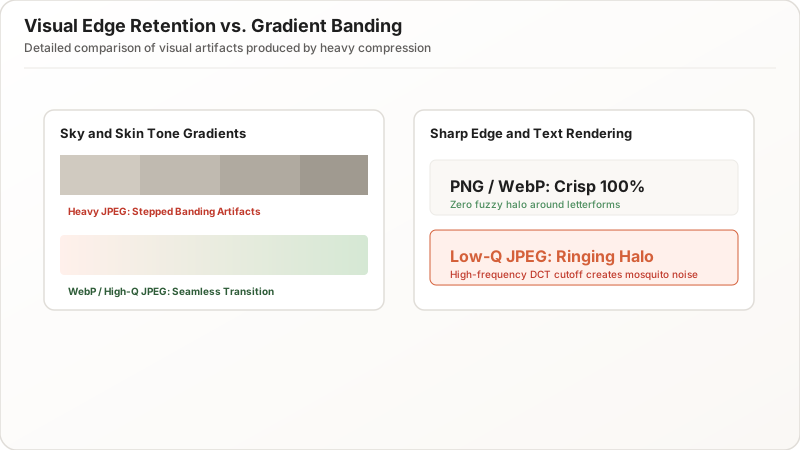
Heavy JPEG compression can introduce color banding—where smooth gradients (like sunsets or studio backdrops) break into visible, stepped bands of color.
Preventing Ringing Halos and Blocking Artifacts with WebP
WebP eliminates harsh 8×8 block transitions through modern deblocking filters, keeping sky backgrounds and skin tones smooth even at aggressive 20KB budgets.
Format Decision Matrix: Which Format Should You Choose at 20KB?
Format Recommendation by Content Type (Photos, Logos, Graphics)
- For Passport / Visa / Government Photos: Choose JPEG for 100% compliance and zero rejection risk.
- For Modern Web Pages & Mobile Apps: Choose WebP for the best visual quality and smallest footprint.
- For Badges, Signatures, and Simple Logos: Choose PNG (or WebP with alpha).
Smart Fallback Strategies for Legacy Application Portals
When an application portal does not explicitly state WebP support, always default to JPEG. It guarantees acceptance across every legacy governmental database and applicant tracking system.
Summary & Recommendation: Choosing the Best Format for 20KB Files
At a strict 20KB limit, WebP delivers the highest visual quality, JPEG provides universal compatibility, and PNG remains the standard for transparent graphics and signatures. Match the format to your specific use case, apply moderate dimension scaling, and you will achieve clear, compliant uploads every time.